
Accurate digital models are the backbone of the modern construction industry. Dynamic and interactive technology, such as computer-aided design (CAD), allows for the creation of highly detailed and accurate visual representations of a structure.
Yet, the journey of a construction model from CAD to the finished project in the field continues to evolve with the introduction of building information modeling (BIM). This highly collaborative process incorporates materials, costs, scheduling and other critical information within a single digital model.
Field implementation is no longer a simple handoff of 2D or 3D drawings. Construction model workflows are now a centralized, data-rich resource that can be used by all stakeholders through every phase of a project’s life cycle — from CAD to the field.
JUMP TO SECTION
Phase 1: Starting With CAD and Preparing the Design Files
The journey begins with an idea. In the conceptualization phase, a project owner’s ideas and requirements are turned into a basic digital model using advanced software such as AutoCAD, SketchUp, Revit, GEOPAK or solutions from Intergraph. These tools allow architects and designers to build a working digital model that captures the basic concept.
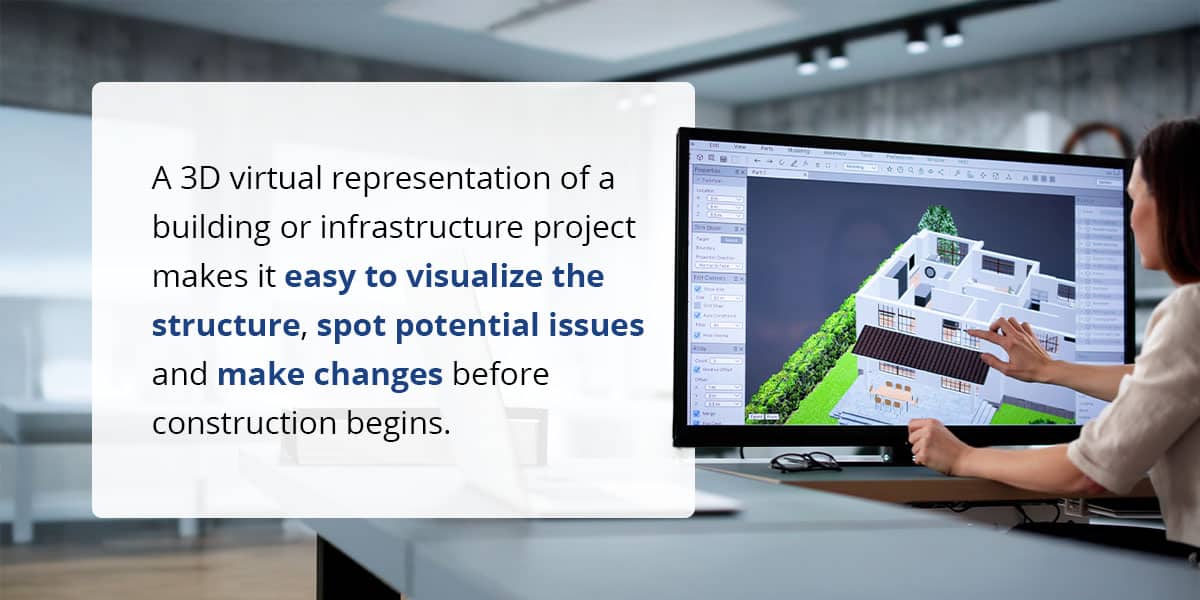
A 3D virtual representation of a building or infrastructure project makes it easy to visualize the structure, spot potential issues and make changes before construction begins. Common CAD file types at this stage include DWG, DGN and RVT, which are widely used for sharing and editing design data in the industry.
Designers then review and clean up the design files so only the necessary layers and critical project information are included. The goal is to build a preliminary BIM model that showcases the project’s initial design intent and creates a foundation for further development.
Phase 2: Converting CAD to Field-Ready Construction Data
Once a conceptual model is approved, it moves into more detailed development that requires advanced collaboration. Structural, mechanical, electrical and plumbing (MEP) engineers, along with other specialists, add their information to the shared BIM model so it contains all the technical details needed for construction.
At this stage, CAD file conversion becomes critical as the focus is on preparing the model for use in the field, including:
- Extracting machine control data: Relevant data is extracted from the BIM model and converted into formats compatible with intended field equipment and machine control systems.
- Setting up coordinate systems: Accurate coordinate systems are established to align with real-world site conditions.
- Georeferencing: This real-time positioning information will guide heavy equipment and ensure a precise layout.
- Generating surfaces, linework and breaklines: The model is further refined to generate the specific elements construction crews need to work accurately in the field, including surfaces, linework and breaklines.
The result is a set of field-ready files that deliver the right information to the right people and equipment, supporting accurate and efficient construction once the project breaks ground.
Phase 3: Quality Assurance and Validation
Before construction starts, the models from different disciplines must be combined into a single federated BIM model. This includes architectural, structural, MEP and other specialized models, depending on the scope and type of project. A unified model is essential for thorough coordination and quality checks.
- Clash detection: BIM software scans the federated model for clashes — instances where elements like pipes, ductwork or structural beams occupy the same space. These conflicts are flagged as early as possible so the project team can resolve them in the digital model before they become costly concerns in the field.
- Data accuracy: The model is reviewed to ensure all required information is present and correct and that every element is accurately represented.
- Model validation: Digital construction models are checked against project specifications and relevant standards, including AASHTO requirements for transportation projects. Specialized software tools can detect errors, inconsistencies or missing information to enable corrections before construction starts.
By rigorously validating the model at this stage, project teams reduce the risk of rework, delays and unexpected costs during construction.
Phase 4: Cost Estimation and Scheduling
At this point, the model becomes a source of vital project information that goes beyond basic geometry. Time and cost dimensions can be integrated with the 3D model for better project planning and control.
- Accurate takeoffs: Advanced software automates the process of generating material takeoffs and bills of quantities (BoQs), improving the accuracy of cost estimations.
- Construction simulation: Project managers can also link the model’s components to project scheduling data to create a 4D construction simulation. This helps them visualize the construction sequence, optimize logistics and reduce delays.
Phase 5: Delivering Machine Control Data to the Field
With a fully coordinated, data-rich model, the next phase involves getting the most accurate information into the hands of teams on the field. This precise, field-ready data ensures construction is executed efficiently, accurately and according to plan. Examples of this in action include the following.
Formatting and File Transfer
Project data must be formatted for compatibility with various machine control systems, such as Trimble, Topcon and Leica. Each system requires specific file types and structures, which need careful preparation for seamless integration. Files are then transferred to field equipment using secure digital methods, such as USB drives, cloud platforms or direct wireless upload.
On-Site Access and Execution
When field teams open 3D models and coordinated drawings on tablets or mobile devices, they get a clear, interactive view of the design. This digital access improves their understanding and reduces the risk of errors compared to traditional paper plans.
Machine Control and Automation
CAD and BIM data can be linked directly to construction equipment, such as graders and excavators. Machines follow the digital model to enable automated, precise execution of tasks, such as exact grades and alignments.
Continuous Quality Control and Verification
Drones, 360-degree cameras and laser scanners capture real-time or as-built conditions. This data is compared against the design model, allowing teams to quickly identify misalignments or errors for immediate correction.
Phase 6: Post-Construction Model Use
Digital models continue to provide value long after construction is complete. The data these models contain can be a critical resource throughout a structure’s operational life. Models can serve as:
- Digital twin: The model serves a dynamic, virtual replica of the physical building or system, with a complete history, all relevant information and real-time data that goes beyond a static blueprint.
- Operations and maintenance resource: Facility managers can use a digital model to manage maintenance schedules, plan renovations or locate building systems.
Contact Us to Learn More About TOPS Construction Modeling
Successfully moving from CAD design to field execution involves careful planning, detailed model development and precise data delivery. Expert support can make all the difference in ensuring your construction model workflow is accurate so projects stay on track.
From concept to completion, the team at Take-Off Professionals (TOPS) prepares data the way you need it. We specialize in converting complex design files into field-ready data, creating digital models that are ready for seamless execution. Contact us today for actionable construction models.